Upcoming Event
Hadal Live Demo @ Dallas, TX
Join us in Dallas to explore how Hadal accelerates testing with predictive, self-healing automation.
Protects your Microsoft 365 inbox from AI-generated BEC, deepfakes, and social engineering.
AI has made phishing flawless. Large language models now write impersonation emails that pass every grammar check, mimic your executives' exact tone, and contain no malicious links or attachments. Traditional Secure Email Gateways were built for a threat that no longer exists. They are looking for bad spelling in a world of perfect prose.
Attackers use LLMs to generate executive-impersonation emails requesting wire transfers, payroll changes, or vendor payment updates. Average financial loss per incident exceeds $125,000. Every major gateway scores these emails as Safe.
Using 20–50 leaked emails, attackers reconstruct a CFO or CEO's exact writing fingerprint: cadence, vocabulary, punctuation habits. The resulting email is mathematically identical to legitimate correspondence. No signature exists to detect it.
AI-crafted urgency, authority pressure, and requests to move conversations to personal channels. Engineered to bypass human judgment and every behavioral rule your SIEM has. The attack is the context, not the content.
Mariana AI connects to your Microsoft 365 environment via the Microsoft Graph API. No changes to your mail routing, no MX record updates. Every incoming email is silently analyzed through a three-layer AI pipeline. Threats are quarantined or flagged automatically, in under three seconds, before the recipient ever opens them.
Mariana registers as an Azure Enterprise Application in your tenant. A real-time webhook listener receives every inbox event the moment it arrives. No mail rerouting, no latency added to your email flow. Setup takes under 30 minutes.
Two AI models run in parallel. A vector similarity engine compares the email's linguistic fingerprint against the sender's known writing identity. Simultaneously, Gemini 1.5 Pro evaluates psychological manipulation signals: urgency, authority pressure, financial intent, and channel-shift tactics.
A combined risk score (0–100) drives the response. High-risk emails are automatically moved to quarantine before the recipient can open them. Medium-risk emails receive a prominent warning banner. Every action is logged for compliance with no manual intervention required.
The Mariana security console gives your team instant visibility into every monitored inbox. Each email receives a plain-English risk verdict: score, threat category, and a two-sentence explanation of exactly why it was flagged. No alert fatigue. No guesswork. Just clear decisions.
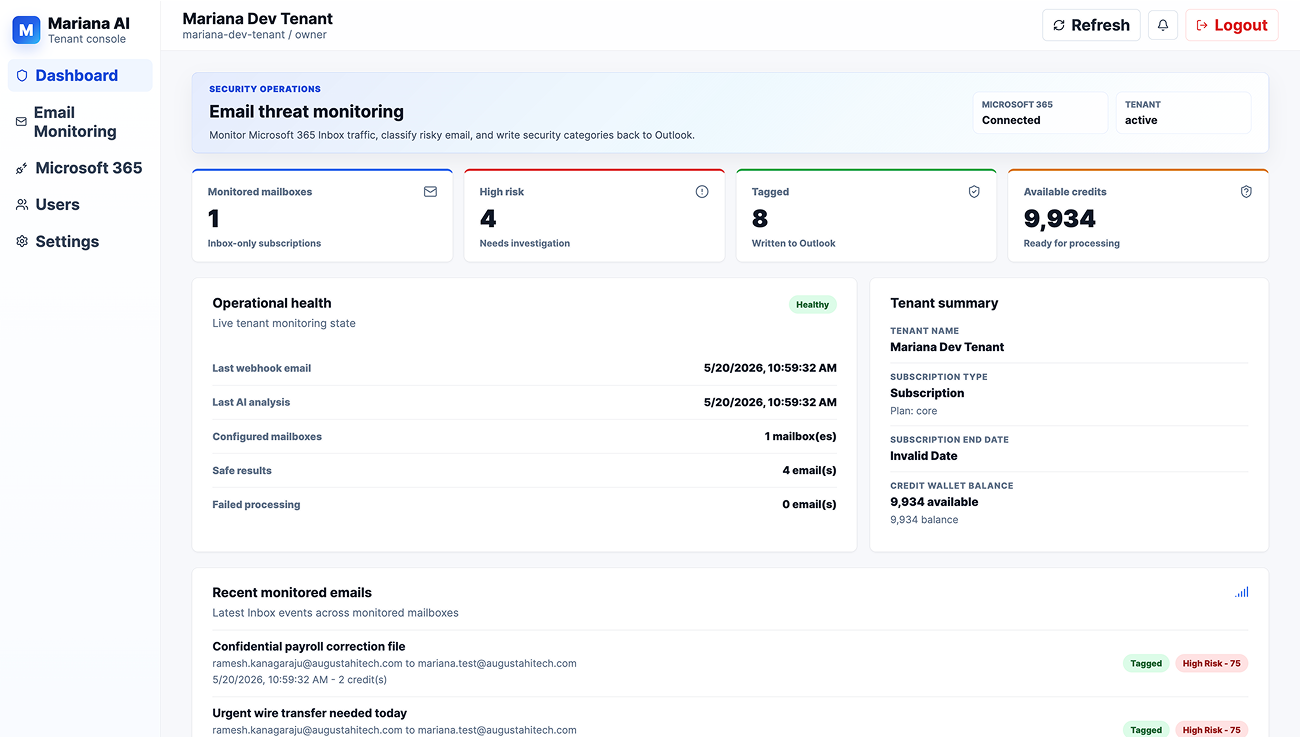
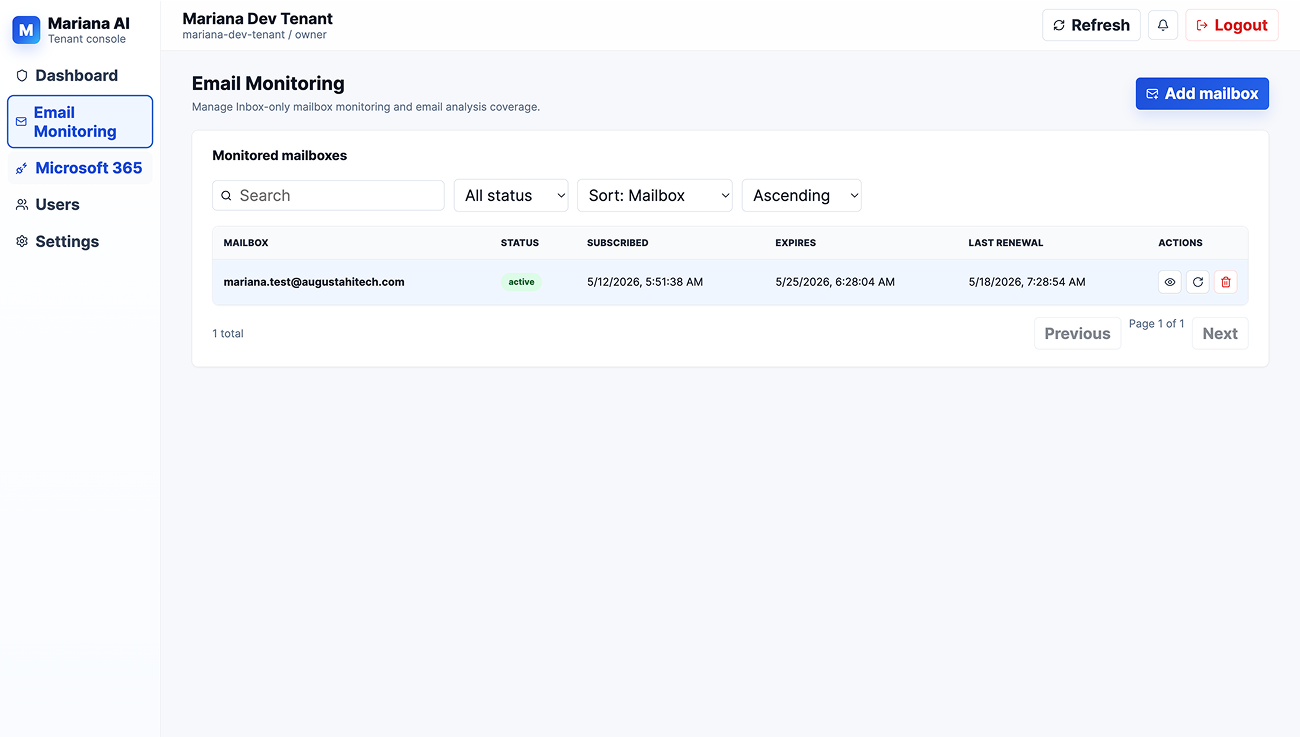
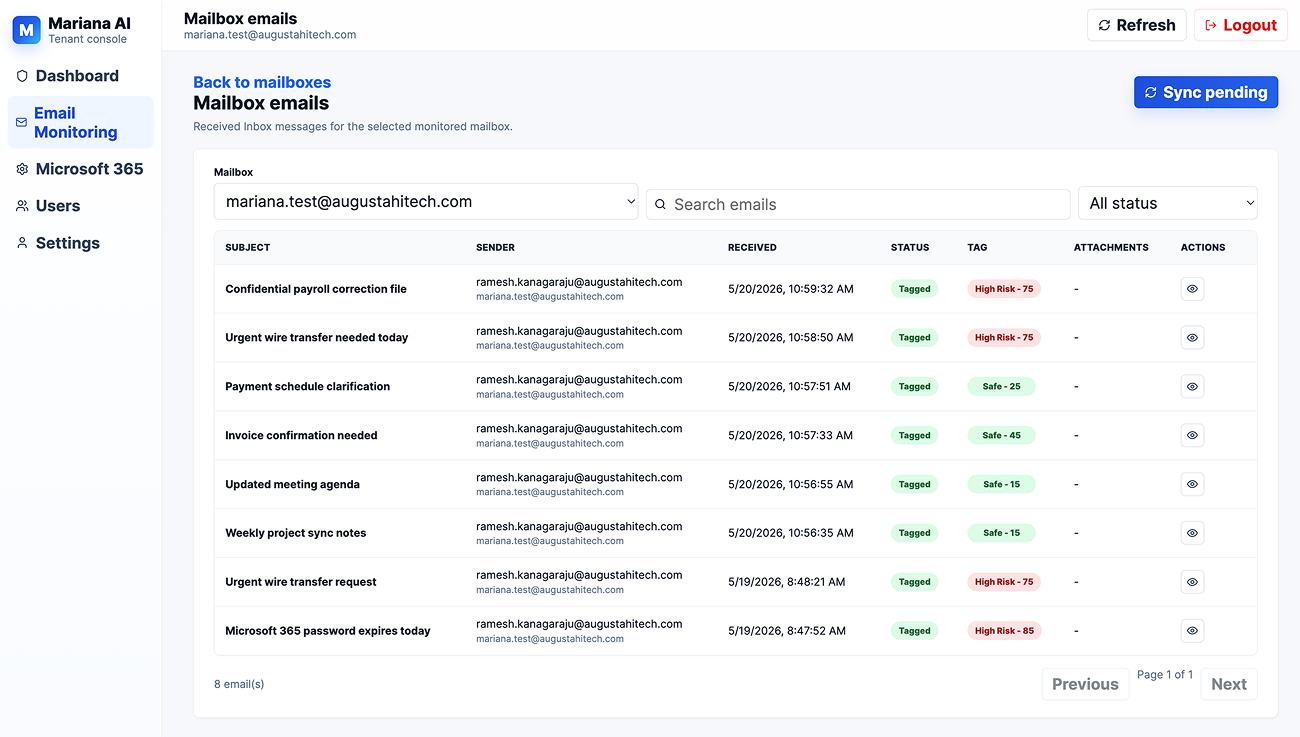
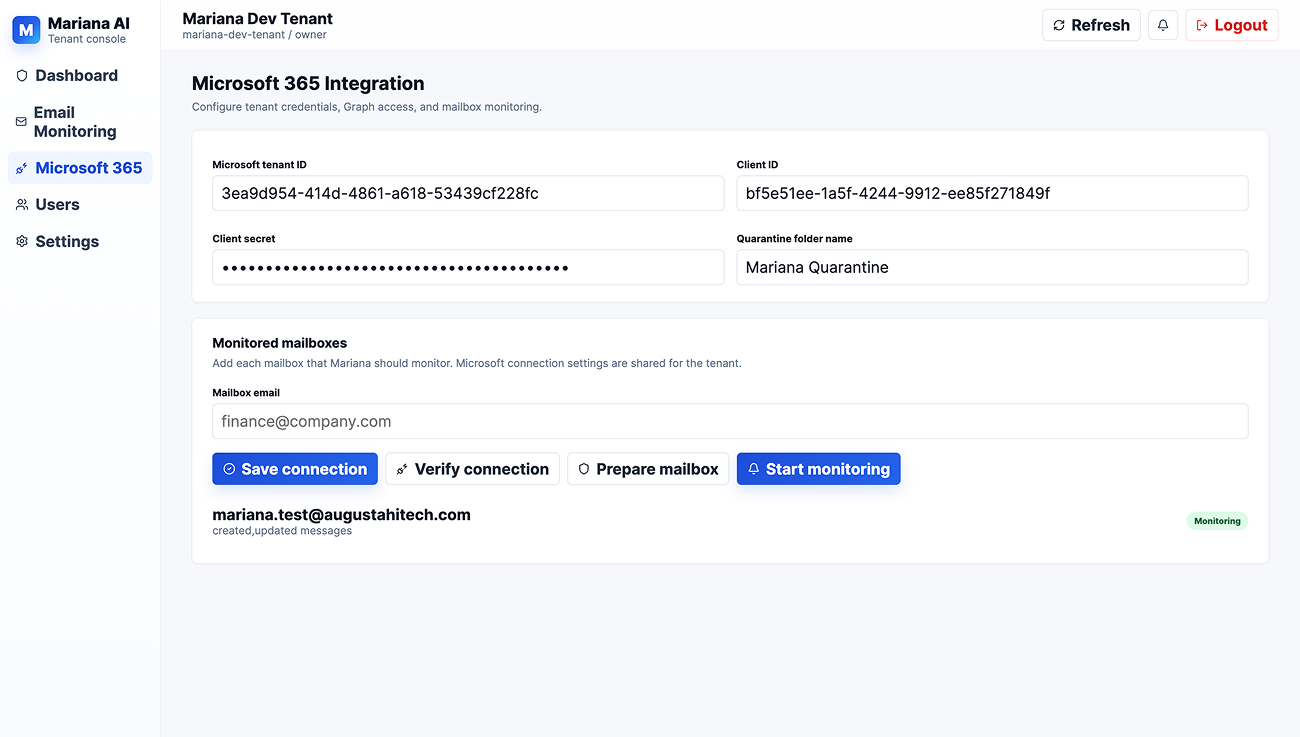
Most email security tools break down in three real-world scenarios: new employees with no email history, users whose writing naturally evolves over time, and complex HTML emails that break when a warning banner is injected. Mariana was engineered specifically around these failure modes.
Most platforms have a blind spot: no email history means no behavioral profile, which means no protection.
Mariana bridges the gap with a maturity-weighted system. From the very first email, it leans on AI intent analysis as the primary signal.
As the user's history grows, their personal writing identity takes over. Protection is never paused.
Mariana integrates directly into Microsoft 365 via the Graph API as an Azure Enterprise Application. Your employees see no change to how they use Outlook. Your IT team makes no changes to email routing or DNS. Mariana operates entirely behind the scenes, reading, analyzing, and acting on threats before they reach the inbox.
Join us in Dallas to explore how Hadal accelerates testing with predictive, self-healing automation.